
How to
How to Request Google to Remove Your Personal Details


We use our Google IDs to log in almost everywhere, and Google has a lot of data about us whether it’s personal data or our current location. Google has recently announced that it will remove our personal information. But the question is how to ask Google to remove your phone number and other personal details. Well, today we are going to tell you how to request Google to remove your personal data. However, Google has decided that you have to follow the criteria in order to remove your personal details. You don’t have to worry we will share everything with you in this article. All you have to do is read it till the end to know all the details regarding the removal of your personal details. Through this, you can keep yourself safe from financial fraud, criminal abuse and so on.
Requirements to Remove Personal Details
As we have said before Google has set criteria that you have to complete to remove your phone number and other personal details from Google Search results. Google has explained what data it can remove from the Google Search results like confidential government ID identification numbers, bank account numbers, images of ID documents, as well as contact information, like phone numbers and email addresses. Google will ask you for your full name, country of residence, your working contact email address and the list of websites of your personal information. Now with any further ado let’s get started.
How to Request Google to Remove your Personal Details?
Here’s how to request Google to remove your personal details from Google Search:
Step 1. Go to https://support.google.com/websearch/.
Step 2. Now scroll down and click on the Fix problems & request removals option to expand it. After that click on the Remove your personal information from Google.
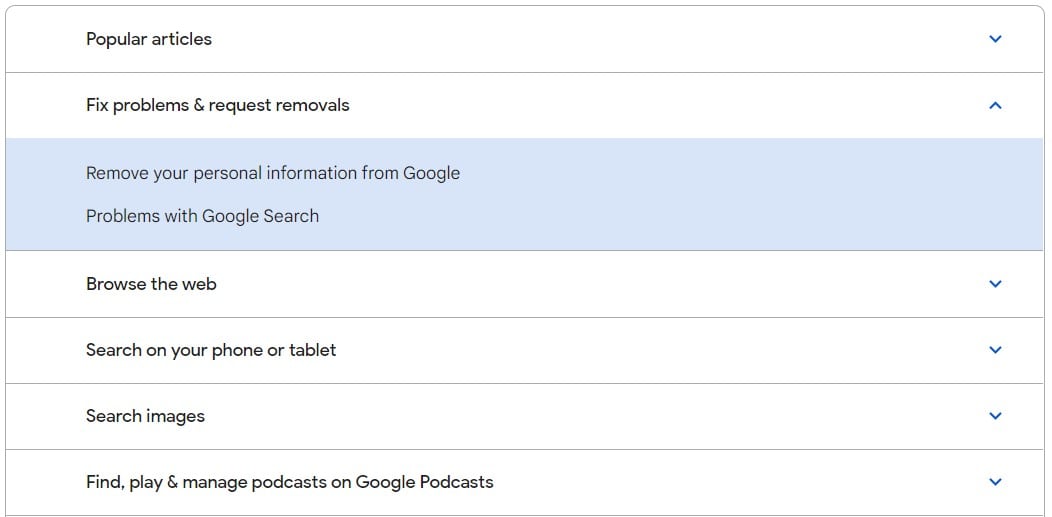
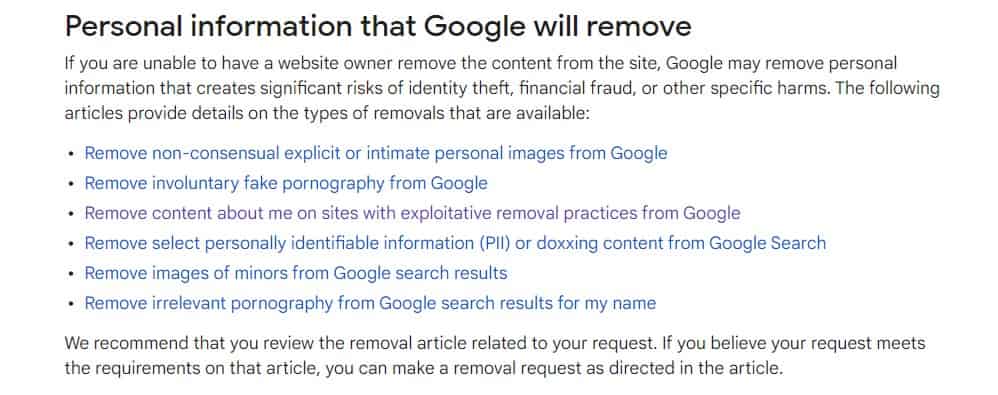
Step 3. On the next page scroll down and select the option that you want to remove from Google.
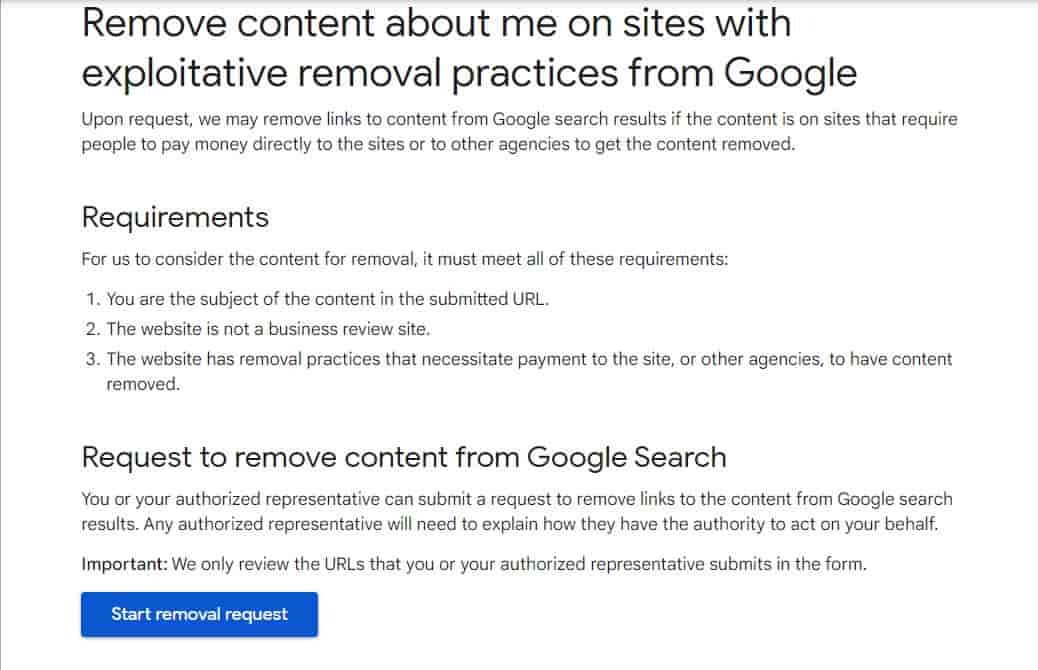
Step 4. Then click on the Start removal request option on the next page.
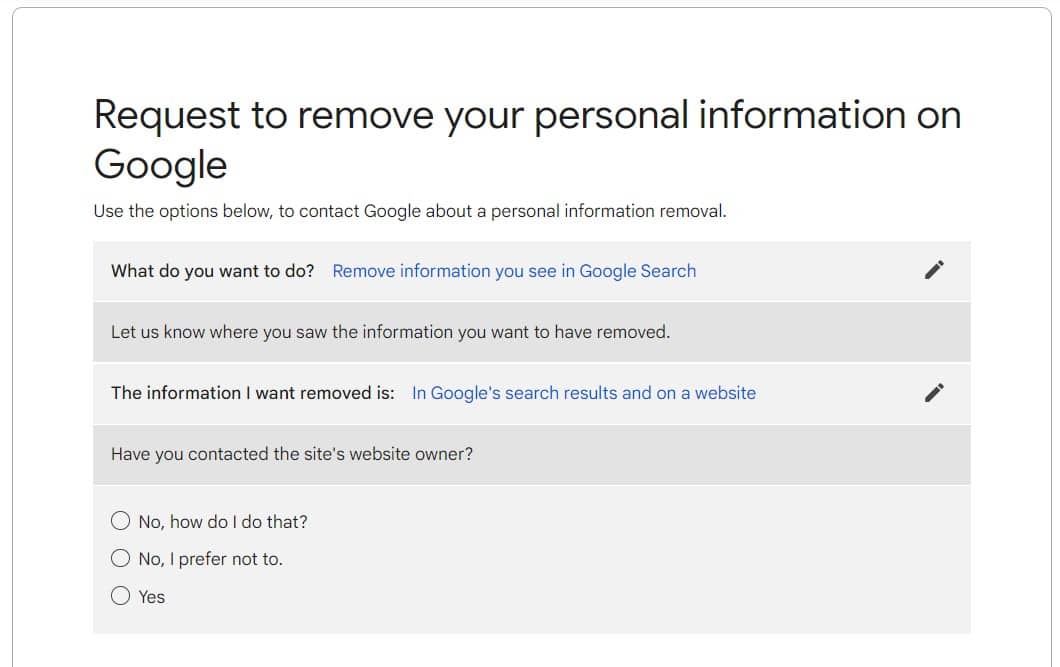
Step 5. You will see three options under Have you contacted the website’s owner? Choose from the options No, how do I do that? or No, I prefer not to and Yes.Â
Step 6. Under the I want to remove select the select “Personal info, like ID numbers and private documents�, then “Contact information, like addresses, phone number or email address�.
Step 7. A form will appear, fill in all the asked details and upload a screenshot to make your case.
Step 8. Once you are done with all the steps click on Submit, that’s it. All you have to do now is sit back and wait for confirmation from Google that the information has been removed from Google Search results.
Conclusion
If you were looking for a way to remove your personal details from Google then all you have to do is follow all the above-mentioned steps and it will be done effortlessly. However, there is one thing that you must remember Google can only remove your personal details from the Google search results, it won’t be removed from the internet. If your request is denied and later you have more details to support the case you can resubmit the request to remove your personal details.
That’s All For Today. Stay Tuned To TechBurner For More Stuff.