
How to
How to Edit PDF File With Microsoft Word (3 Methods)

Follow the instructions to edit PDF with Google Docs.
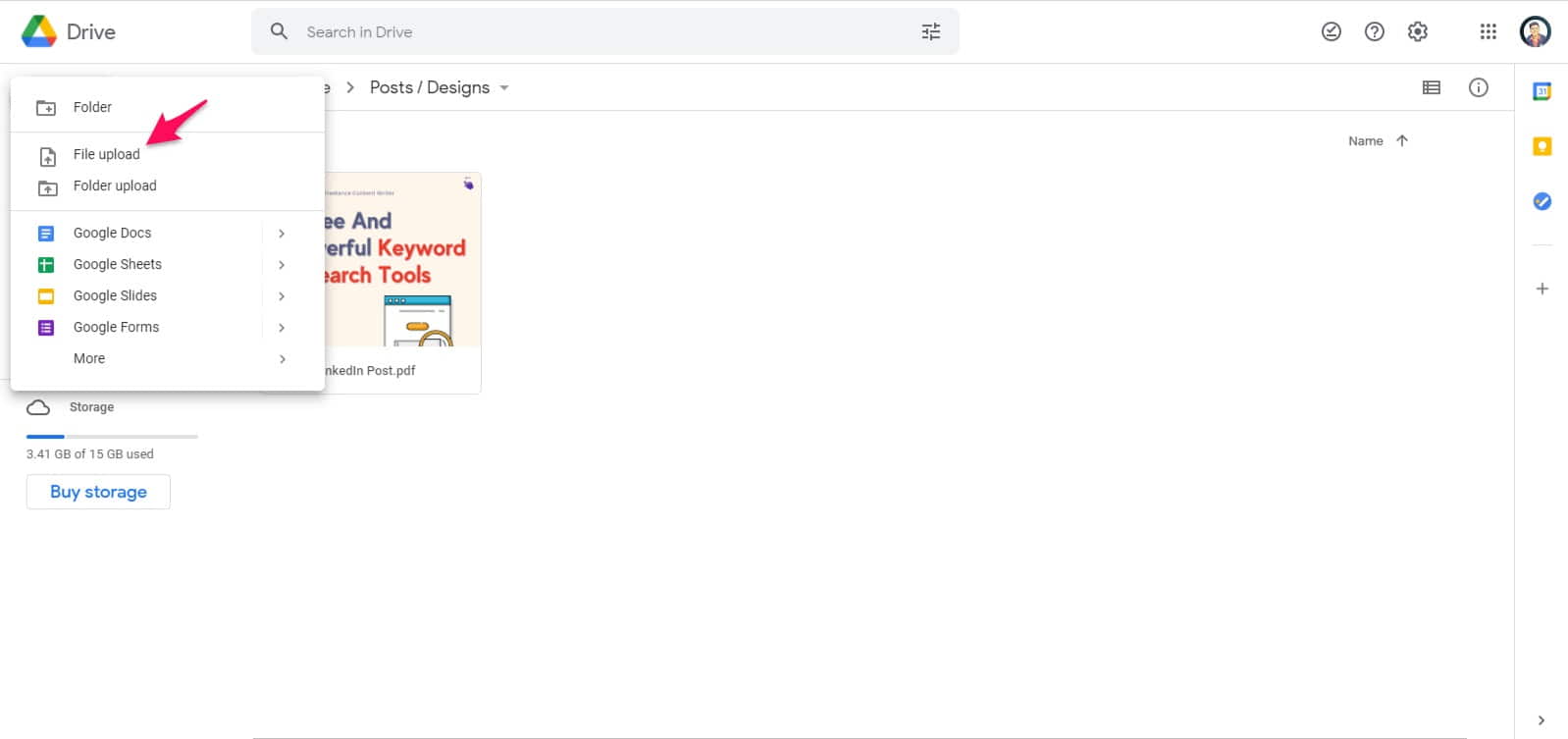
Step 1. First, log in to Google Drive and upload your PDF file.
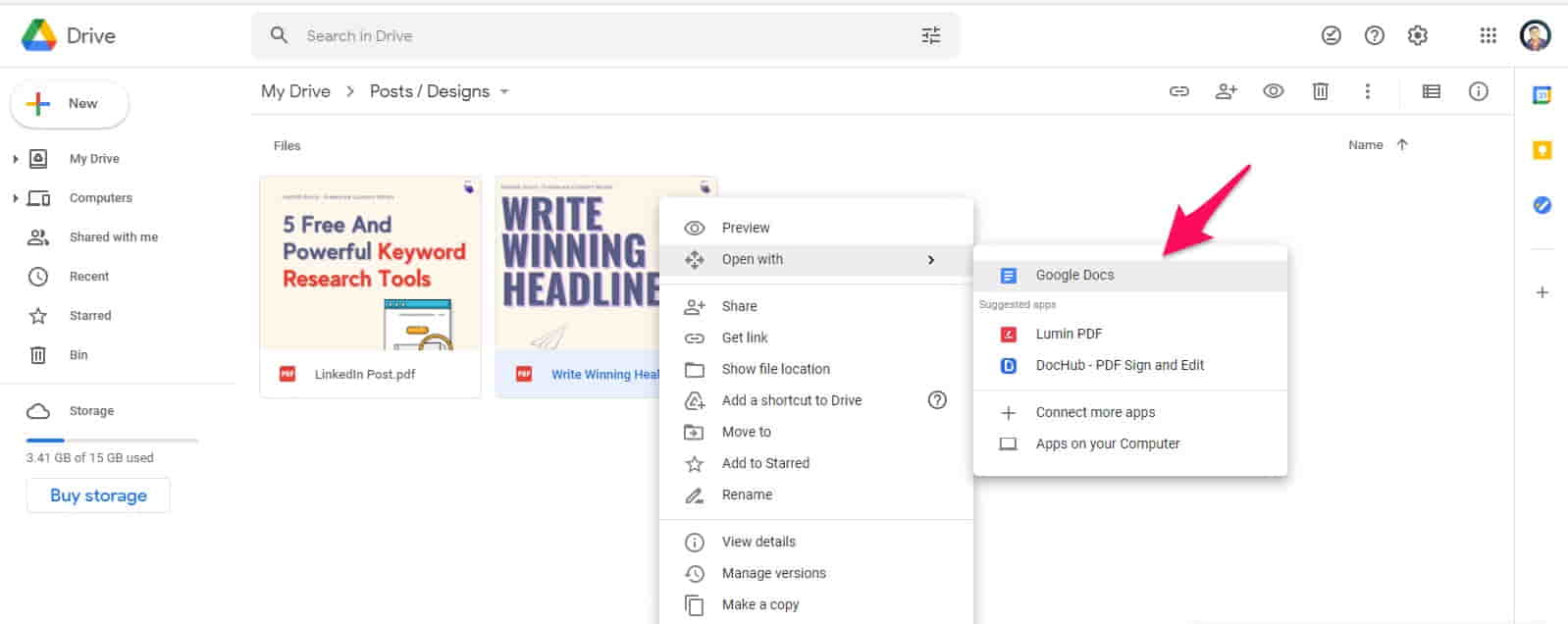
Step 2. Now, right-click on your PDF, drag the mouse on Open with and click on Google Docs.
Step 3. After that, make revisions, and it will auto-save the changes.
Step 4. Head over to the File section, drag the mouse on the Download option and click on PDF Document (.PDF)
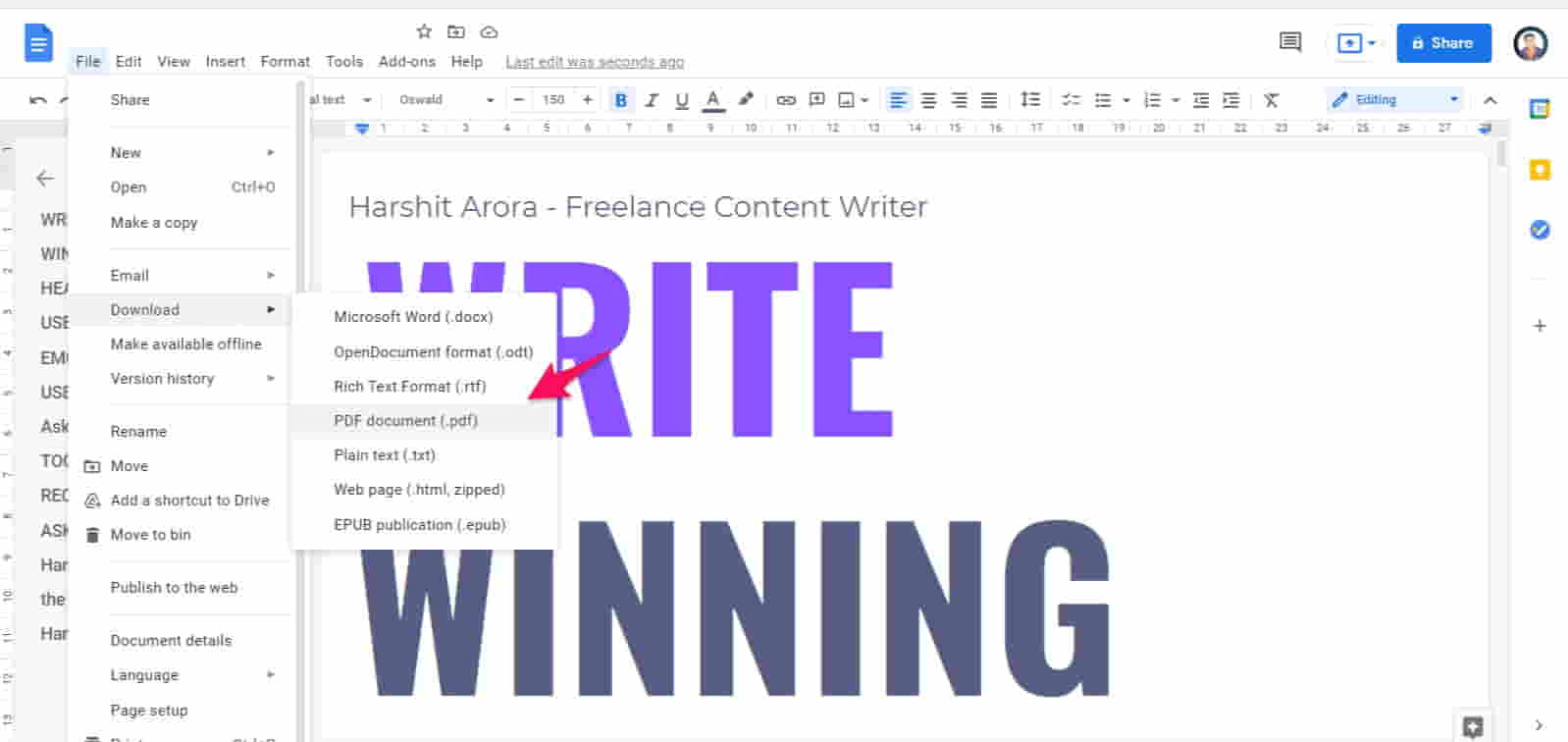
Voila! You have edited your PDF document with Google Docs in quick steps.
Step 1. Head towards your destination folder, where you have saved the PDF.
Step 2. Now right-click on PDF, and click on Open With Word. (You should have Office 365 or MS Word installed.)
Step 3. Word will convert your PDF file into a Word document and show a warning. (Click on Convert when it shows.)
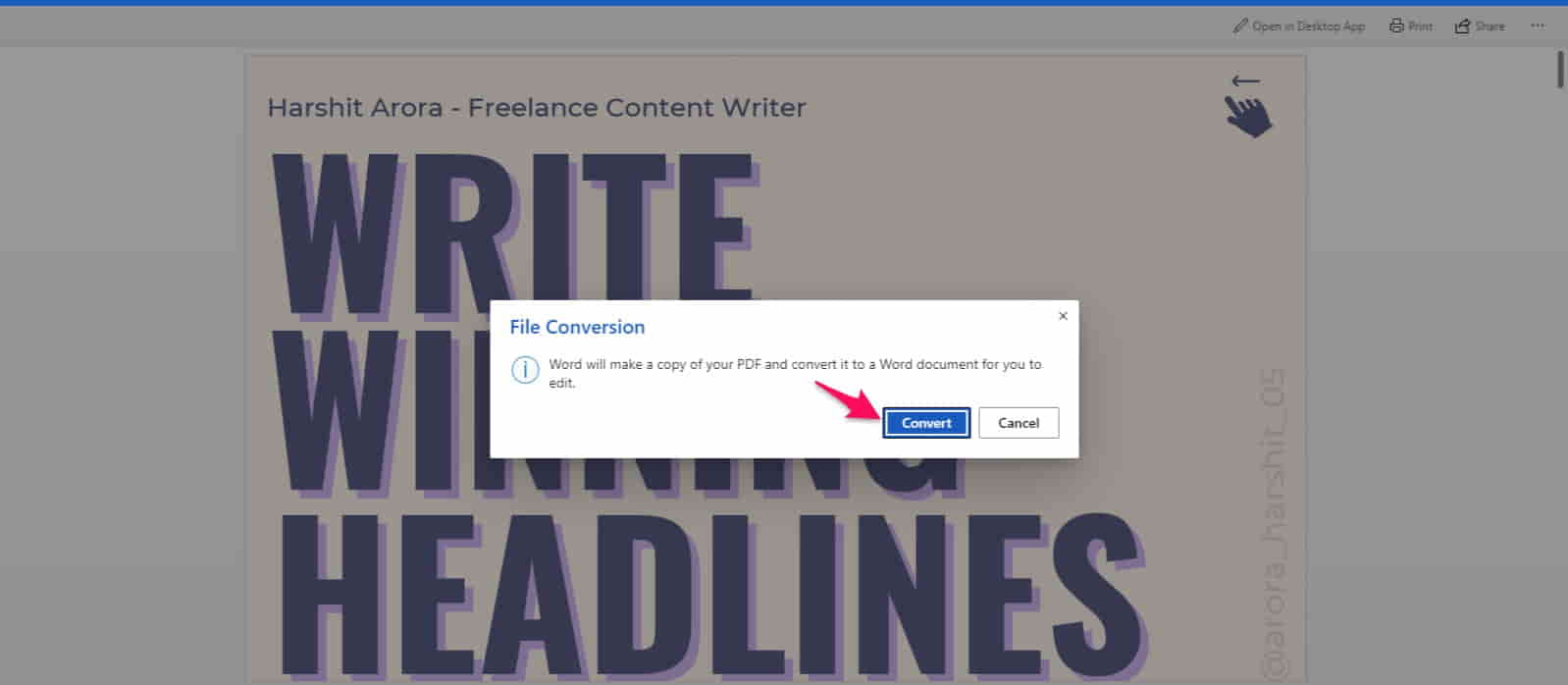
Step 4. After that, make the required changes and save the PDF.
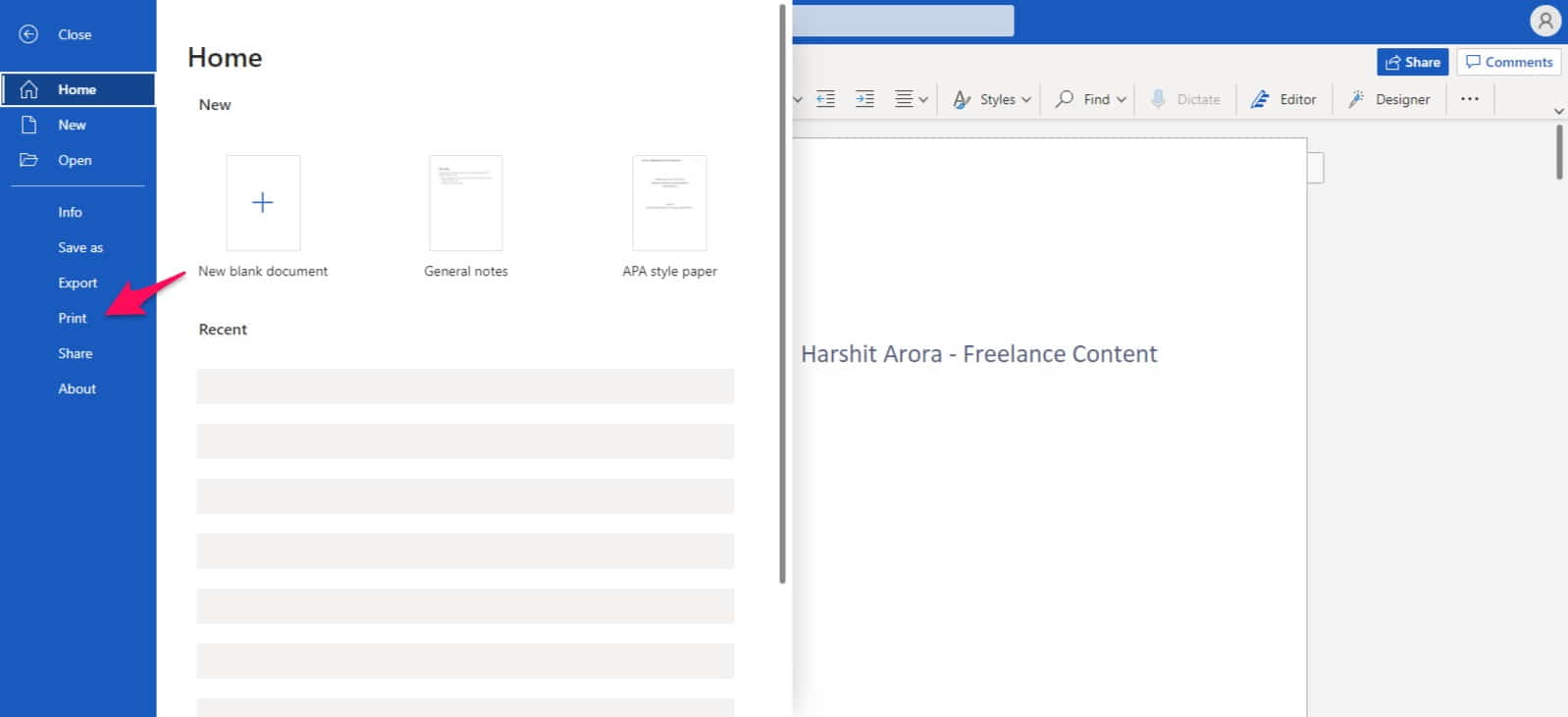
Step 5. Now, go to the File option, and click on Print.
Step 6. You will get a prompt; just click on Print.
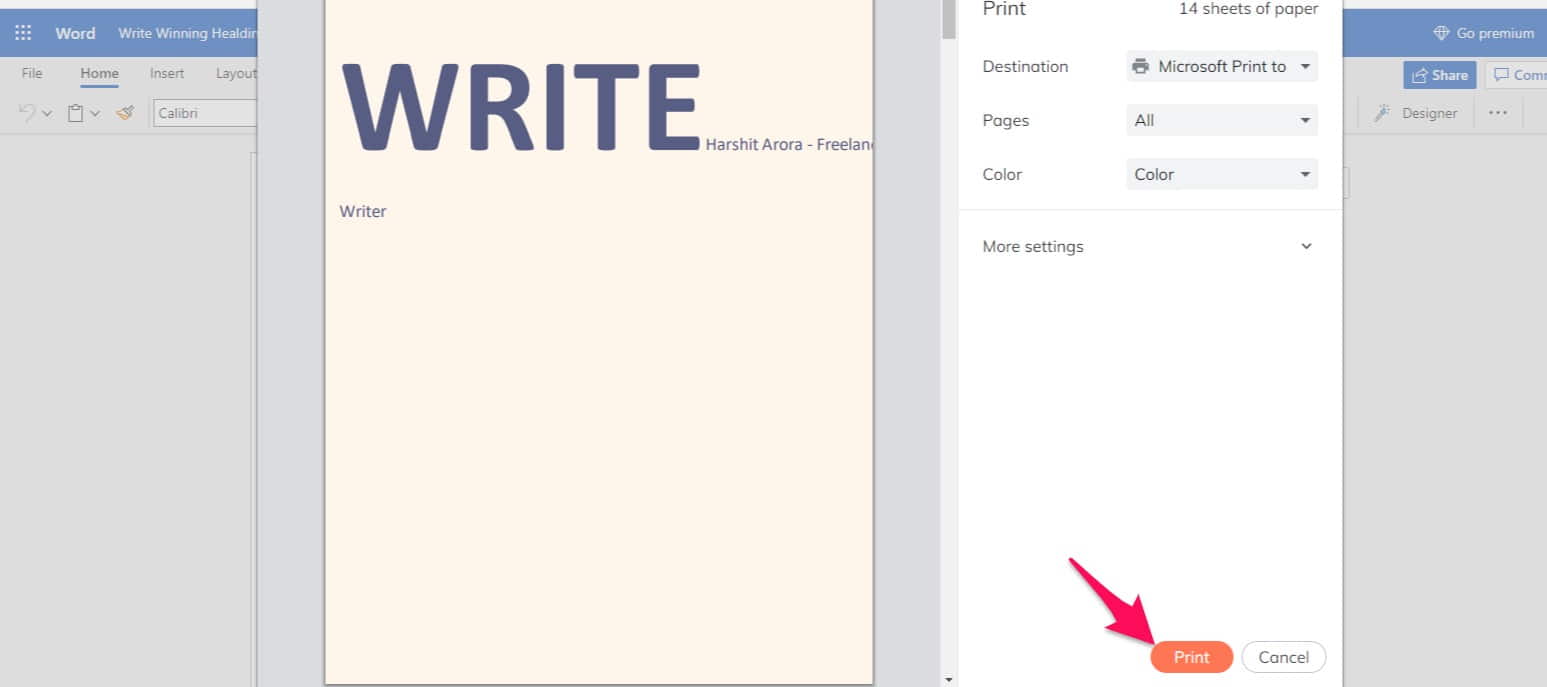
Now, we have figured out a way to edit PDF documents in Word.
Searching for how to add Signature in PDF? Follow the given steps carefully to add signature in PDF document.
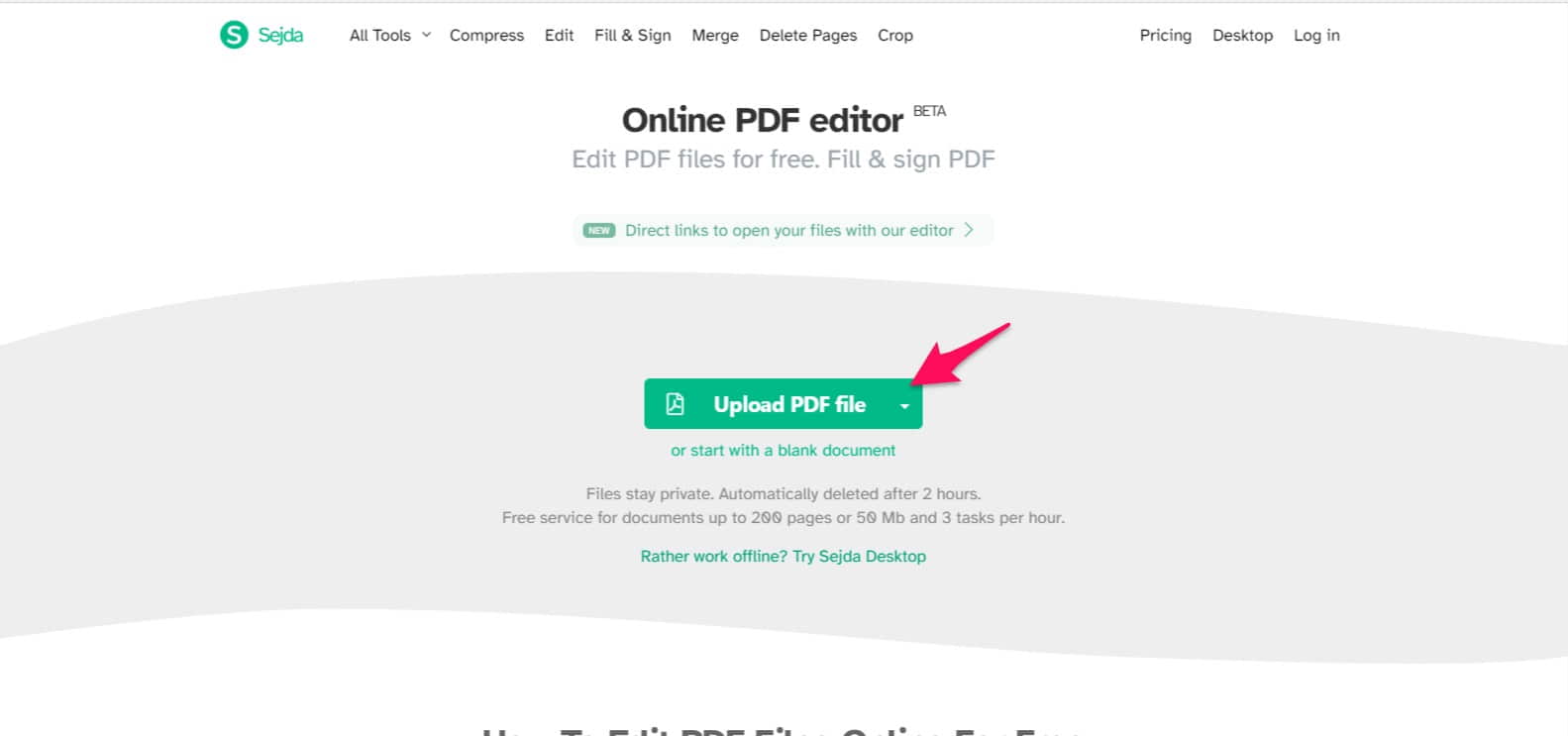
Step 1. Paste the given link to your browser : (https://www.sejda.com/)
Step 2. Click on Edit a PDF Document; it will redirect to another web page.
Step 3. Now, upload the PDF file.
Step 4. At the top of the page, there will be customization options.
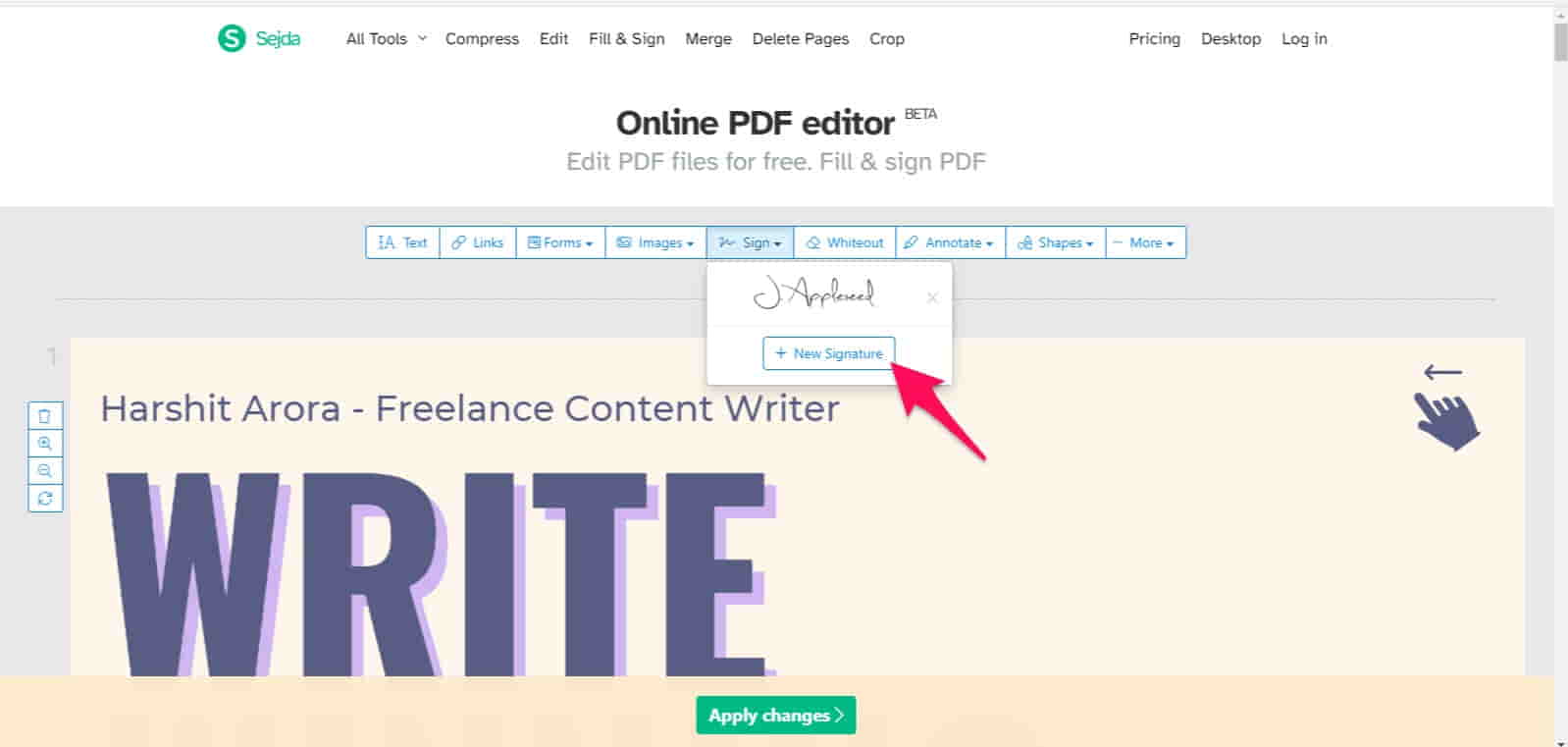
Step 5. Click on the Sign option, then in the drop-down menu, click on New Signature.
Step 6. After that, Type or Draw the signature and customize the colour and font according to your needs.
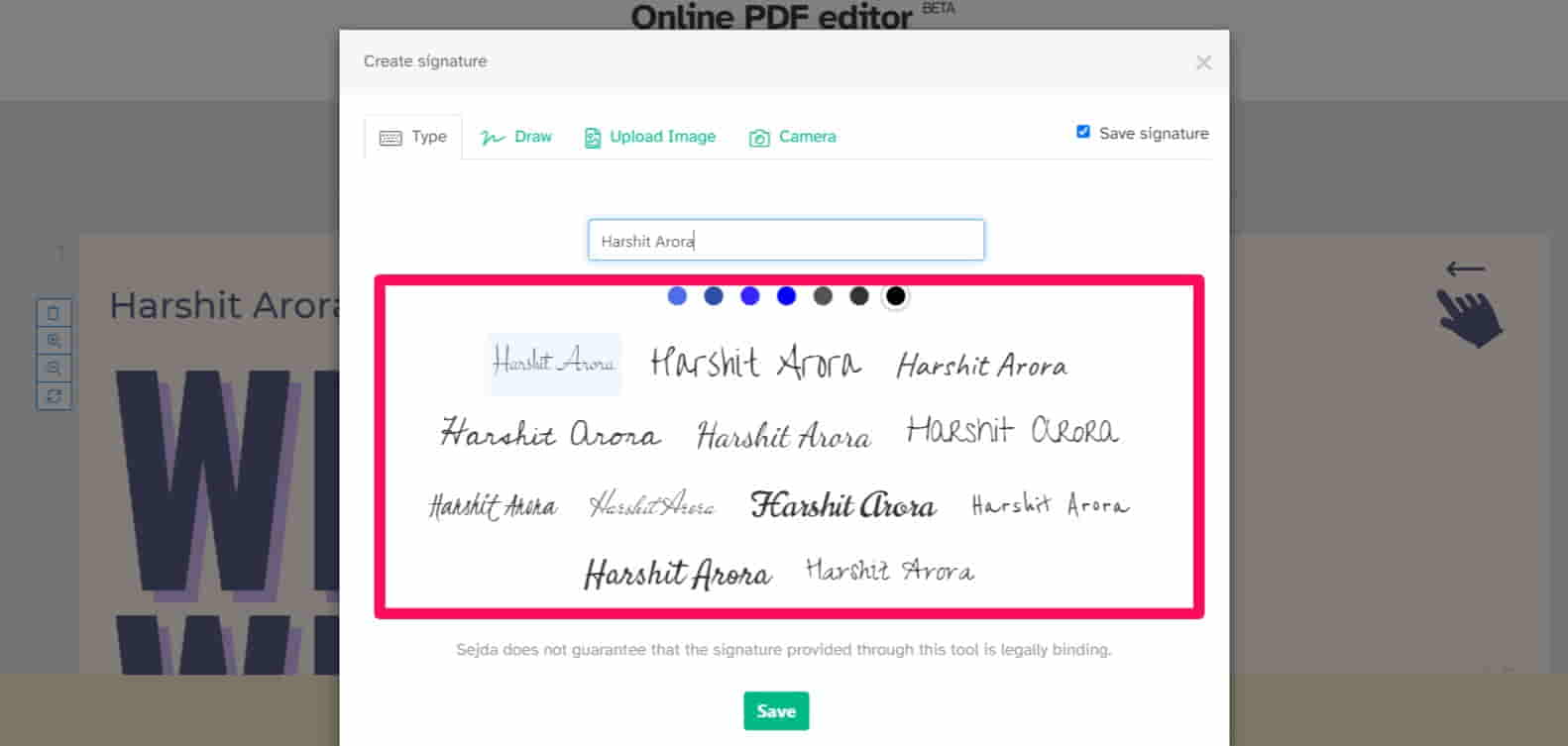
Step 7. Then, click on Apply Changes, and on the next screen, click on Download.
That’s great! We also found out how to add signature in PDF?